Help center / Getting started
A tour of the Studio Hub
What is on the dashboard, how the top bar works, and where each tool lives.
The Studio Hub is the first view after you sign in. It shows your workspace at a glance and gets you to every tool.
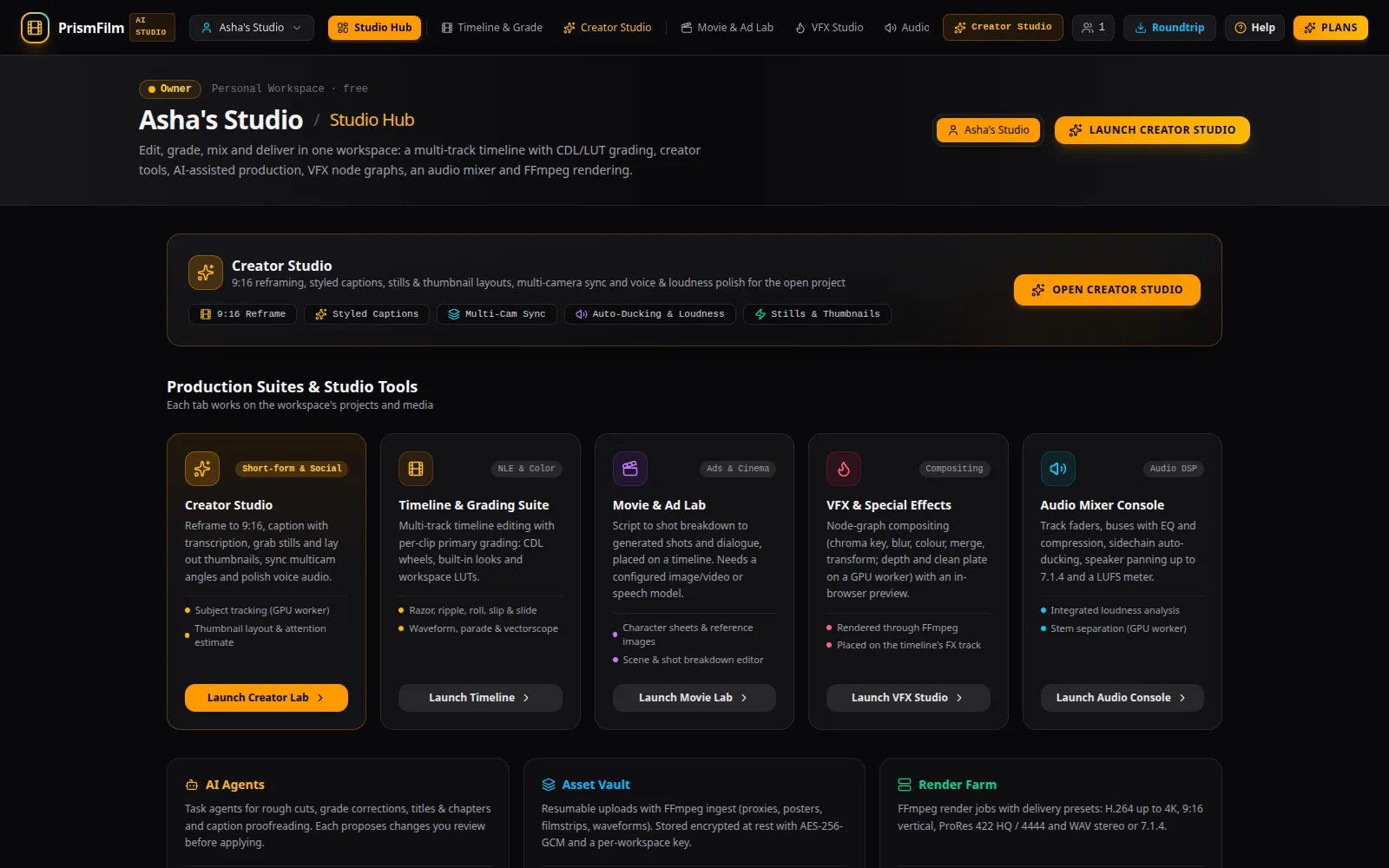
The top bar
- Workspace switcher (your workspace's name): switch workspaces, open Workspace settings, or Sign out.
- Tabs: Studio Hub, Timeline & Grade, Creator Studio, Movie & Ad Lab, VFX Studio, Audio Mixer, AI Agents, Assistant Editor, Asset Vault, Render Farm, Security & Audit and Settings & RBAC. On smaller screens the labels get shorter.
- Creator Studio: a shortcut to captions, Shorts, stills, multi-cam, voice and dubbing.
- Members (a number): how many people are in the workspace; opens the settings.
- Roundtrip: exports and imports timelines for other editors (see hand-off).
- Help: the help center, the guide for the view you are in, and its tour.
- Plans: your plan, usage and billing.
The active project
The project you open in one view is open in the others: Timeline & Grade, Creator Studio, the Audio Mixer and VFX all work on the same project. Switch it with the Project picker in any of them.
On the dashboard
- Suites: cards that open Creator Studio, the timeline, Movie & Ad Lab, VFX and the audio console.
- Projects: every project, most recently changed first, with Search projects.... Click Open on a card to edit it in Timeline & Grade.
- Members and Usage: who is in the workspace and how much of this month's plan is used.
- Recent jobs: uploads, renders and AI tasks with their status. A failed job shows why.
- Audit log (owners): the latest security-relevant events.
Common problems
- "No projects yet. Create one in Timeline & Grade." Use Open the sample project, or create a project in Timeline & Grade.
- A job says "Waiting for a worker". The background workers that process uploads and renders are not running on this server. Jobs stay queued and start when a worker is back.
- I can't see the Audit log. It is shown to workspace owners only.