Help center / Account and workspace
Workspaces and roles
Personal and team workspaces, inviting people as owners, editors or reviewers, workspace defaults, and the audit log.
A workspace holds projects, media, members, a plan and its credits. Everyone gets a personal workspace; create team workspaces for work you share.
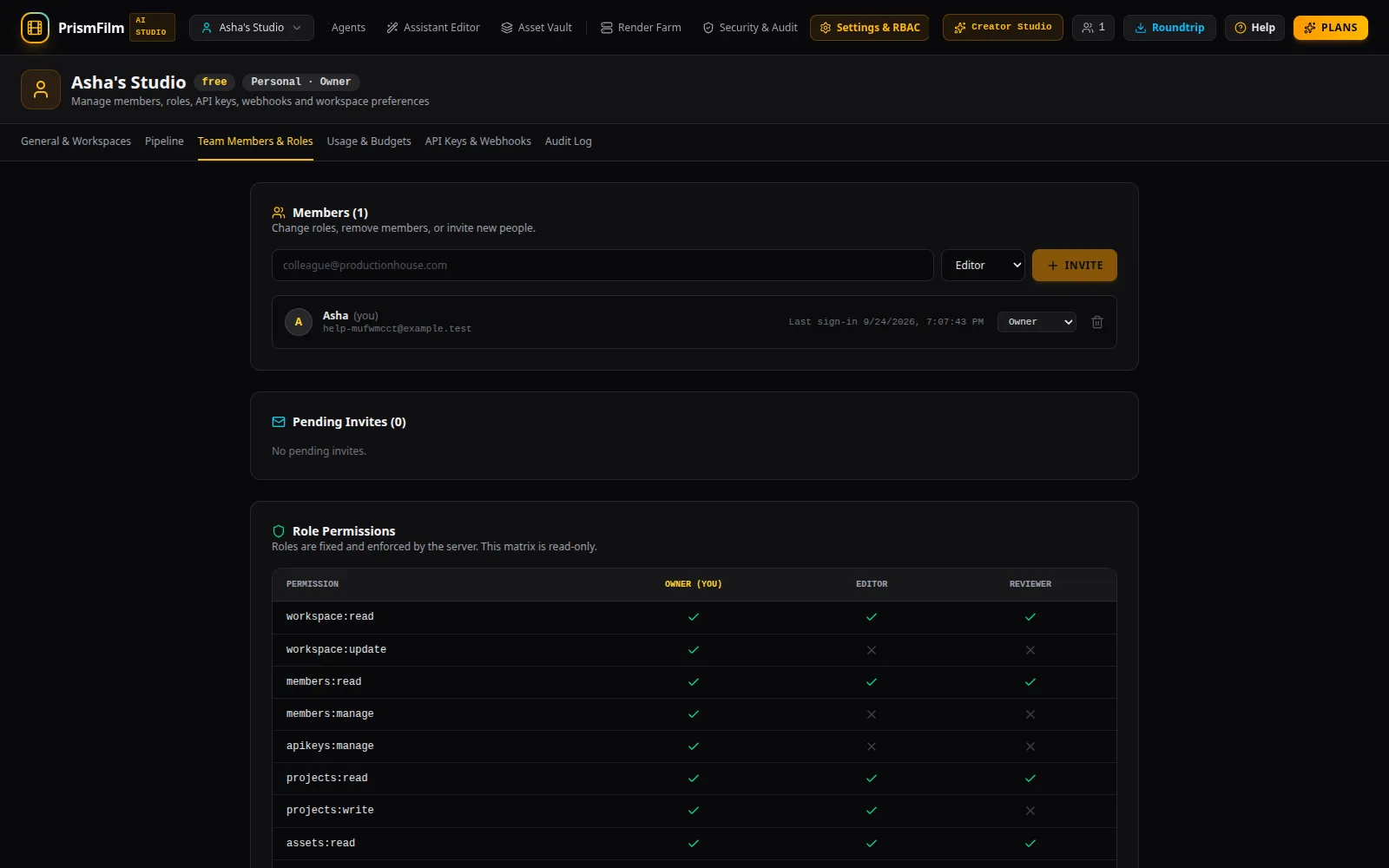
Roles
| Role | Can |
|---|---|
| Owner | Everything: members and roles, plan and billing, budgets, API keys, webhooks, workspace defaults, the audit log |
| Editor | Upload, edit projects, grade, caption, dub, render and use AI tools |
| Reviewer | View projects and media, play them and download finished renders; no changes |
The full matrix is at the bottom of Team Members & Roles.
Create and switch workspaces
- Switch with the workspace switcher at the top left.
- In Settings & RBAC → General & Workspaces, Create organization workspace: type a name and Create. You become its owner.
- Rename a workspace in the same tab.
Invite people
- Settings & RBAC → Team Members & Roles.
- Enter their email, choose the role, Invite.
- An Invite link (shown only once) appears, and an email is sent when email is configured. The link works for 7 days, for that email address.
- Pending invites are listed under Pending Invites, with Revoke.
Change a member's role with the select in their row; remove them with the bin icon. Leaving a workspace works the same way on your own row.
Workspace defaults
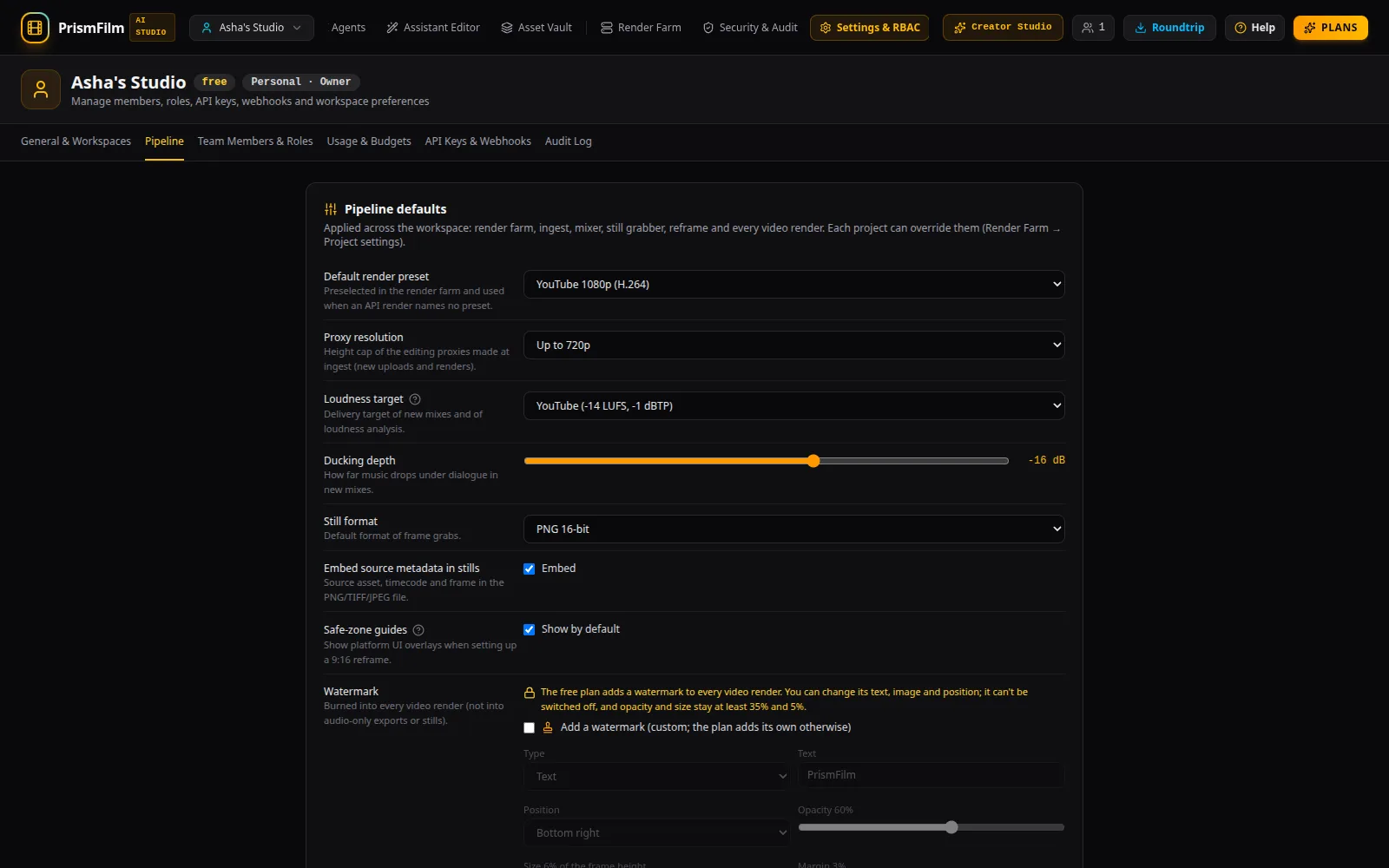
Settings & RBAC → Pipeline sets the defaults for new work: the default render preset, proxy resolution, Loudness target, ducking depth, still format, Safe-zone guides, and the watermark. Owners change them with Save pipeline defaults; each project can override them in the Render Farm's Project settings.
Security and the audit log
Uploads are encrypted at rest with a key per workspace. Sign-ins, invites, role changes, exports, plan changes and uses of cloned voices are written to an append-only audit log. Owners see it in Settings & RBAC → Audit Log and Security & Audit, where they can check its integrity and export it as CSV.
API keys and webhooks
Owners can create API keys (Create Key, shown once) and set an event webhook in API Keys & Webhooks.
Common problems
- "Only owners can change roles or invite members." Ask an owner.
- "You are changing your own role. You will lose owner access to this workspace." A workspace needs an owner; make someone else owner first if you are stepping down.
- "(your role in this workspace does not allow this action)". Your role can't do this; see the table above.
- The invite link doesn't work. It expires after 7 days and only works for the invited email; send a new invite.